在自定义的 LangServe 模型服务器上运行 playground
LangSmith 交互式开发环境支持您使用自定义模型。您可以通过 LangServe(一个用于部署 LangChain 应用程序的开源库)部署一个模型服务,以公开您模型的 API。 在后台,该交互式开发环境将与您的模型服务进行交互,从而生成响应。
部署自定义模型服务器
为方便起见,我们提供了一个示例模型服务器,您可将其作为参考。您可在此处找到示例模型服务器 此处。 我们强烈建议将该示例模型服务器作为起点使用。
根据您所使用的模型是指令式(instruct-style)还是对话式(chat-style)模型,您需要分别实现 custom_model.py 或 custom_chat_model.py。
添加可配置字段
为模型配置不同的参数通常很有用。这些参数可能包括 temperature(温度)、model_name(模型名称)、max_tokens(最大令牌数)等。
若要在 LangSmith Playground 中使您的模型具备可配置性,您需要在模型服务器中添加可配置字段。这些字段可用于从 Playground 中更改模型参数。
您可以通过在 config.py 文件中实现 with_configurable_fields 函数来添加可配置的字段。
def with_configurable_fields(self) -> Runnable:
    """Expose fields you want to be configurable in the playground. We will automatically expose these to the
    playground. If you don't want to expose any fields, you can remove this method."""
    return self.configurable_fields(n=ConfigurableField(
        id="n",
        name="Num Characters",
        description="Number of characters to return from the input prompt.",
    ))
在 LangSmith Playground 中使用该模型
部署模型服务器后,您便可在 LangSmith Playground 中使用它。进入 Playground 后,为聊天式模型选择 ChatCustomModel 提供商,或为指令式模型选择 CustomModel 提供商。
输入 URL。Playground 将自动检测可用的端点和可配置字段。然后,您可以使用所需的参数调用模型。
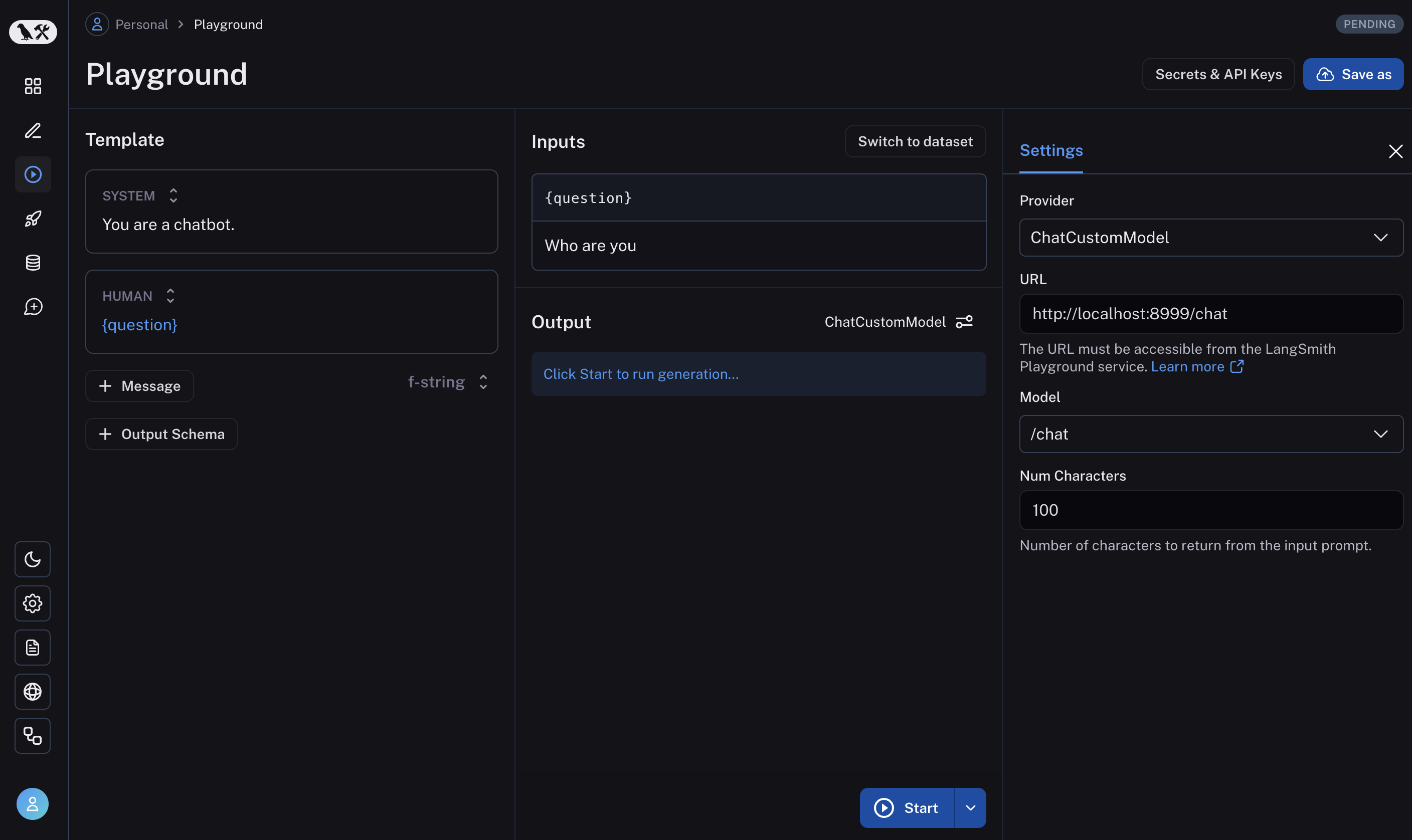
如果一切设置正确,您将在 Playground 中看到模型的响应,以及在 with_configurable_fields 中指定的可配置字段。
了解如何保存您的模型配置以供日后使用 请点击此处。